
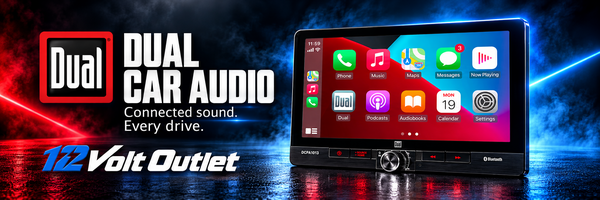
Dual car audio brings smartphone connectivity, music playback and touchscreen control to the dashboard. From a straightforward Bluetooth receiver to a large-screen system with wireless Apple CarPlay and Android Auto, the range gives drivers several ways to update the part of the vehicle they use every day.
12 Volt Outlet is a Dual distributor and dealer. Our Dual selection gives customers and installers a place to compare receivers by the features that matter to the installation: dashboard fit, phone connection, screen size, camera support and amplifier outputs. Start with what you want the system to do, then choose the model and installation parts that suit the vehicle.
Dual's audio heritage
Dual's history reaches back to European mechanical audio equipment and turntables. The company adopted the Dual name in 1927, following the development of its dual-drive motor. Its later history includes turntables, cassette equipment and CD players, reflecting the way people have listened to recorded music across generations.
The chapter most relevant to today's car-audio shopper began in 2003, when Dual entered the North American car and marine audio markets with receivers, speakers and amplifiers. Dual identifies Bluetooth-equipped in-car products in 2008 and its first Apple CarPlay multimedia receiver in 2017 as further milestones. Today's receivers carry that story into connected dashboards with different formats for different vehicles and listening habits.
Choose the receiver around your daily drive
A head unit is the control point for the audio system. It determines how you select music, connect a phone, adjust sound and feed any external amplifiers. Choosing it carefully can make an existing vehicle more convenient while leaving room for later upgrades.
Make a short list of the functions you will actually use. You might want calls and music over Bluetooth, phone-based navigation on a touchscreen, access to a CD collection, or separate outputs for an amplified system. Those are different requirements, and the Dual range includes different answers. A touchscreen by itself does not establish Apple CarPlay or Android Auto support.
Wireless Apple CarPlay and Android Auto
Compatible Dual multimedia receivers put supported phone functions on the receiver display. Apple CarPlay and Android Auto can provide access to navigation, calls and music using a compatible phone and supported apps. Wireless capability is especially convenient for drivers who want to connect without plugging in for every trip.
The DCPA723W is a seven-inch double-DIN receiver with wireless Apple CarPlay and Android Auto. Its published connections include two rear USB inputs, front and rear camera inputs, and three pairs of preamp outputs for front, rear and subwoofer channels. A ten-band equalizer provides adjustment for the listening setup.
Compare the exact connection method before ordering. Bluetooth streaming, wireless phone projection and USB playback are separate features. Check the chosen receiver's compatibility requirements against your phone, and plan an accessible USB location if charging or a wired connection is part of the installation. Complete pairing and app setup while parked.
Larger screens and flexible mounting
A larger display gives maps and menus more room, but screen size is only part of the fitment decision. Some Dual receivers use a display that extends beyond the radio chassis, allowing a larger interface with a compact mounting arrangement.
The DCPA1013 combines a 10.1-inch touchscreen with wired and wireless Apple CarPlay and Android Auto. Dual lists single-DIN and double-DIN installation arrangements, along with height, tilt and pivot adjustment. Its front and rear camera connections and three pairs of preamp outputs also support a broader system plan.
The DMCPA8W provides an eight-inch alternative with wireless Apple CarPlay and Android Auto. Dual describes an adjustable display and a mounting adapter for single-DIN or double-DIN installation. It also lists front and rear camera inputs and separate front, rear and subwoofer preamp outputs.
For either format, measure the space around the screen as well as the opening behind it. Check vents, climate controls, hazard switches and shifter movement. Leave room for plugs and wiring behind the chassis. A stated DIN format is a starting point for fitment, rather than confirmation that every part of the installation will clear the dashboard.
Bluetooth receivers and CD playback
Drivers who mainly want music and calls can choose a receiver with a more straightforward interface. The XD28BT is a double-DIN digital media receiver with Bluetooth, front USB and auxiliary inputs, and a shallow chassis. Its conventional display and physical controls suit a different dashboard experience from a large multimedia screen.
If CDs are still part of your listening routine, the XDC100BT combines a single-DIN CD receiver with Bluetooth calling and audio streaming. It also provides front USB and auxiliary connections. This is an important distinction when comparing receivers: a digital media model may have no disc mechanism.
For a touchscreen focused on Bluetooth and media playback, the DM724 has a seven-inch display, a backup-camera input and a double-DIN mounting format. Its feature set differs from Dual's CarPlay and Android Auto models. Choose it according to its documented functions instead of assuming that all seven-inch receivers offer the same phone integration.
Plan camera and factory-control connections
A compatible camera input lets a receiver display a camera image, but the camera and its installation still need to be planned. Confirm the supported camera type, signal connection, power requirements and any reverse-trigger wiring in the receiver and camera instructions. Check the package contents to see whether a camera is included or purchased separately.
Factory steering-wheel controls also need a compatibility check. Dual identifies adapter requirements on supported receivers such as the DCPA723W and DCPA1013. The correct interface depends on both the receiver and the vehicle. Factory amplifiers, warning chimes and other integrated functions may require additional retention hardware. Record the vehicle's year, make, model, trim and audio package before selecting parts.
Build in room for an amplified system
Preamp outputs matter if an external amplifier or powered subwoofer is part of the plan. Three output pairs can provide separate signal paths for front speakers, rear speakers and a subwoofer. A receiver with one output pair needs a different system layout, so check the rear connections before buying.
Sound controls also vary by model. The DCPA1013 lists a ten-band equalizer, subwoofer level adjustment and a selectable subwoofer crossover. These controls can help integrate the receiver with the rest of the system, provided the amplifier and speaker settings are coordinated.
Compare power ratings on the same basis. A peak-power headline is different from a continuous RMS rating. Choose amplifiers, speakers and wiring using the specifications relevant to the intended load and installation. Good setup includes appropriate gain adjustment, secure wiring and protection specified by the equipment manufacturer.
A practical Dual installation checklist
- Confirm the vehicle: Record the exact vehicle and factory audio package, including any amplifier or integrated controls.
- Check physical fit: Measure chassis depth, mounting space and screen clearance around nearby controls.
- Choose connectivity: Confirm Bluetooth, wired or wireless phone integration, USB and CD requirements.
- List the accessories: Allow for the correct dash kit, harness, antenna adapter and any camera or control-retention interface.
- Map the audio system: Match receiver outputs to amplifier inputs and the intended speaker layout.
- Keep model-specific records: Save the model number and installation instructions. Use only firmware intended for that exact receiver.
Dual car audio frequently asked questions
Does every Dual radio have Apple CarPlay and Android Auto?
No. Models such as the DCPA723W, DCPA1013 and DMCPA8W support those functions, while other receivers focus on Bluetooth, USB or CD playback. Check the exact model for both phone compatibility and wired or wireless operation.
Will a Dual receiver fit my car or truck?
Fit depends on the vehicle, receiver chassis, mounting kit and available clearance. Single-DIN or double-DIN sizing alone is not enough to confirm the installation. Large displays also need space around vents, switches and other controls.
Can I keep my steering-wheel audio controls?
Supported receivers can work with a compatible adapter. Confirm that the interface supports your vehicle, the selected receiver and the functions you want to retain. The factory audio package can change the parts required.
Do Dual touchscreen receivers play CDs?
Check the model. The DCPA723W, DCPA1013 and DM724 are digital multimedia receivers without CD/DVD playback. The XDC100BT is a CD receiver for drivers who want to keep using discs alongside Bluetooth and other sources.
Can I add an amplifier or subwoofer later?
Plan for it when choosing the receiver. Compare the number and type of preamp outputs, available subwoofer controls and the amplifier's inputs. Receivers with separate front, rear and subwoofer outputs provide distinct connections for those parts of a system.
Are similar Dual models interchangeable?
Similar names or screen sizes can hide differences in connectivity, mounting, outputs and package contents. Match the complete model number when checking specifications, accessories, manuals and firmware. Availability and included items should be confirmed on the product listing.
Shop Dual car audio at 12 Volt Outlet
Explore Dual receivers at 12 Volt Outlet with your vehicle and system goals in mind. Compare the connection features, display format and installation requirements that will make a difference on every drive. Whether the project starts with Bluetooth, a connected touchscreen or an amplified system, a complete fitment and wiring plan helps you choose the right foundation.
